If you own a car and drive on Indian highways, you already know the drill. Toll plaza, tag beeps, amount deducted, gate opens. But the moment your FASTag balance runs low or the tag stops scanning, that quick drive-through turns into a five-minute headache at the barrier.
That’s usually when people search for “fastag icici login” in a hurry, standing in a queue or sitting at home trying to figure out why the tag isn’t working. This guide walks through the login process, what you can do once you’re in, and how to fix the problems that come up most often.
A quick note before we start: this article is an independent guide. For anything involving payments, KYC, or account changes, use only the official ICICI Bank FASTag page or the ICICI Bank app.
What Is ICICI FASTag, Briefly
ICICI FASTag is a prepaid tag issued by ICICI Bank that lets you pay toll charges automatically. It’s stuck to your windscreen, and when your vehicle passes through a toll lane, a scanner reads the tag and deducts the toll from your linked wallet or bank account.
No cash, no rolling down the window, no fumbling for change. That’s the whole idea behind it. If you haven’t applied for one yet, there’s a separate walkthrough on how to apply for ICICI FASTag that covers the documents and process.
What You Can Do After ICICI FASTag Login
Once you’re logged in through ICICI Bank’s official channels, your account opens up a fair number of options. Here’s a breakdown of what’s available and why it actually matters.
| Service | What It Lets You Do | Why It Matters |
| Balance check | See your current FASTag wallet balance | Avoids getting stuck at a toll booth with insufficient funds |
| Recharge | Add money via UPI, card, or net banking | Keeps the tag active for your next trip |
| Transaction history | Review past toll deductions and recharges | Useful for spotting duplicate or wrong charges |
| Statement download | Export records for a chosen date range | Handy for reimbursements or business expense tracking |
| Vehicle details | Check or update linked vehicle information | Prevents mismatches that toll systems sometimes flag |
| Tag status | See if the tag is active, inactive, or blacklisted | Explains why a tag suddenly stopped working |
| Service requests | Raise complaints for login, payment, or toll issues | Gets you a formal support ticket instead of a phone call into the void |
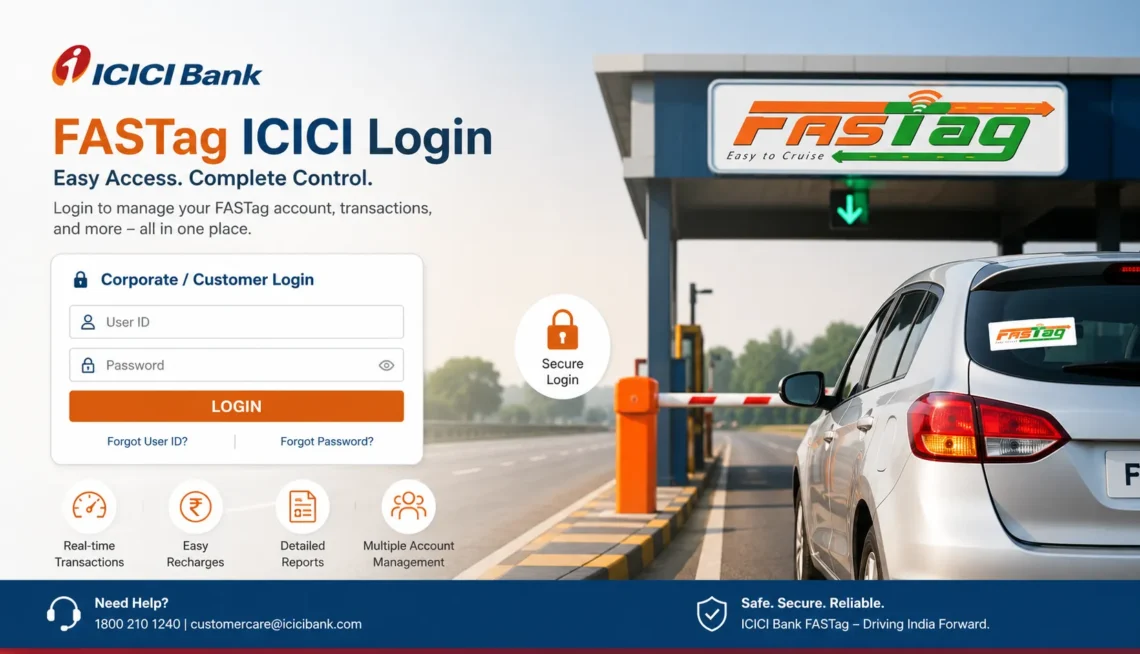
How to Login to ICICI FASTag: Step by Step
The login process is straightforward once you know where to go. Here’s the general flow:
- Open the official ICICI Bank FASTag portal or the iMobile app.
- Select the FASTag login option (sometimes listed as “FASTag Customer Login”).
- Enter your registered mobile number, customer ID, or vehicle number, depending on what the portal asks for.
- Verify using OTP or your password.
- Land on your FASTag dashboard, where balance, recharge, and history all sit in one place.
ICICI Bank does update its login screens now and then, so the exact fields might shift a little. If something on screen looks different from what’s described here, just follow whatever the official portal currently shows.
ICICI FASTag Login With Mobile Number
A lot of people skip the customer ID entirely and just try logging in with their mobile number, mostly because they’ve forgotten everything else. If your number is registered against the FASTag account, mobile-based OTP login usually works fine.
When it doesn’t, check these before assuming something’s broken:
- Is the number you’re entering actually the one registered with the account?
- Is the SIM active and getting signal?
- Did you wait a bit before requesting another OTP? Repeated requests within seconds sometimes get blocked.
- Are you on the genuine ICICI Bank site, not a lookalike?
If none of that fixes it, ICICI FASTag customer care can sort out registration issues on their end.
Checking Your ICICI FASTag Balance
This is probably the single most common reason people log in at all. Nobody wants to find out their tag is empty right as the barrier comes down.
- Log in through the official portal or app.
- Head to the FASTag section of your dashboard.
- Pick the vehicle or tag you want to check (if you have more than one).
- View the balance along with your last few transactions.
A habit worth building: check your balance before you start a long highway drive, not after you’re already stuck in the toll lane.
Recharging ICICI FASTag Online
When the balance dips low, recharging takes a few minutes if you’re on the right platform.
- Open the FASTag recharge page or the section inside the app.
- Confirm the vehicle or wallet you’re topping up.
- Enter the amount.
- Choose UPI, debit card, credit card, or net banking.
- Complete the payment and wait for confirmation.
Sometimes money leaves your account but the balance doesn’t update right away. That’s usually a delay on the processing side, not a failed transaction. Give it a little time before raising a complaint. For a more detailed walkthrough of payment methods and troubleshooting, there’s a dedicated ICICI Bank FASTag recharge guide worth checking.
Downloading Your ICICI FASTag Statement
A statement is basically a record of everything your tag has done: recharges, toll deductions, refunds. It comes in handy for business mileage claims, disputing a wrong deduction, or just keeping your own records straight.
- Log in to your account.
- Go to the dashboard and open transaction history or statements.
- Set the date range you need.
- View it online or download it as a PDF/CSV, depending on what the portal offers.
There’s a full guide on ICICI FASTag statement download if you want the extended version with screenshots and edge cases.
Why ICICI FASTag Sometimes Doesn’t Work
Toll lane trouble usually traces back to one of these:
- Low or zero balance
- Tag marked as blacklisted
- Physical damage to the tag
- Poor placement on the windscreen
- Vehicle details not updated after a change
- Pending KYC
- A scanner that just isn’t reading it that day
- Account marked inactive
Don’t peel the tag off or try to force a reader to scan it. Check your balance and status first through the official app, and only escalate to support if everything looks fine on your end and it’s still failing.
What “Blacklisted” Means and How to Fix It
A blacklisted FASTag gets rejected at toll plazas even if it looks fine physically. It usually happens because of a low balance sitting unpaid for too long, incomplete KYC, or the tag being flagged for misuse.
Fixing it generally means recharging if the balance is the issue, completing KYC if that’s pending, and confirming the tag is properly fixed to the windscreen rather than loose or crooked. If the status still shows blacklisted after that, a call to official ICICI Bank support is the next step, not a random FASTag reseller’s WhatsApp number.
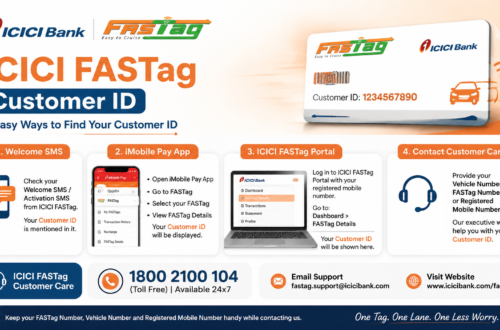
Forgot Your ICICI FASTag Customer ID?
It happens more than you’d think, especially if the tag was set up months ago and you haven’t touched the account since. A few places to look before panicking:
- Old SMS messages from ICICI Bank around the time you got the tag
- The welcome email that usually arrives after registration
- Mobile-number-based login, if that option is available
- ICICI Bank’s app or net banking, where FASTag details sometimes sit under linked services
Whatever you do, don’t hand over your OTP, password, or full account details to anyone claiming to help you “recover” your ID over a call or message. That’s not how ICICI Bank support works.
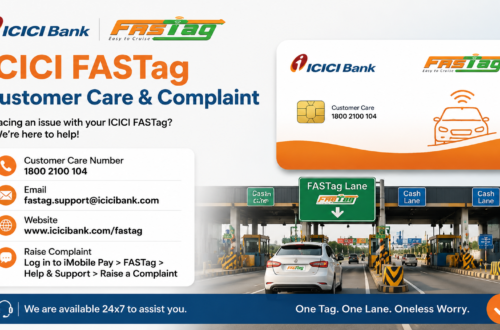
Getting Help From ICICI FASTag Customer Care
If login keeps failing, a recharge doesn’t reflect, or you spot a toll deduction that makes no sense, customer care is the right next step. Before you call or raise a ticket, have this ready:
- Registered mobile number
- Vehicle number
- Customer ID or wallet ID, if you have it
- Transaction ID for payment issues
- Date, time, and toll plaza name for disputed deductions
Having these on hand usually cuts the resolution time down considerably. Full contact details and support channels are listed on the ICICI FASTag customer care page.
A Few Safety Habits Worth Keeping
FASTag accounts are tied to real money, so a bit of caution goes a long way:
- Stick to the official ICICI Bank website or app, nothing else.
- Never type your OTP into a site you found through a random ad or search result.
- Ignore “FASTag annual pass” offers that show up over WhatsApp or SMS from unknown numbers.
- Double-check the URL before entering login details, since lookalike domains are more common than people expect.
- Bookmark the genuine ICICI Bank FASTag page so you’re not searching for it under pressure every time.
FAQs About Fastag ICICI Login
- What does ICICI FASTag login actually let me do?
It gives you access to your FASTag account through ICICI Bank’s official channels, where you can check your balance, recharge, view transaction history, download statements, and manage linked vehicle details.
- Can I check my ICICI FASTag balance without visiting a branch?
Yes. Balance checks are available through the ICICI Bank app, net banking, or the FASTag portal, so there’s no need to visit a branch for this.
- Is online recharge for ICICI FASTag safe?
It is, as long as you’re recharging through ICICI Bank’s official app or website. Avoid third-party links or unofficial payment pages that claim to offer FASTag top-ups.
- Why does my ICICI FASTag sometimes fail at toll plazas even with balance?
This can happen due to a blacklisted status, tag damage, poor placement on the windscreen, pending KYC, or a scanner malfunction at that specific plaza.
- My recharge amount got deducted but didn’t reflect in my FASTag wallet. What now?
Note down the transaction ID, amount, and time, then wait a short while since updates can lag slightly. If it’s still missing after that, contact official ICICI Bank support with those details.
- How do I download my ICICI FASTag statement for a specific month?
Log in to your account, open the transaction history or statement section, select the date range you need, and download it in the format the portal offers.
- Is icicifastaglogin.org an official ICICI Bank website?
No. This is an independent guide meant to help users understand the FASTag login and account process. For actual login, payments, or account changes, always use ICICI Bank’s official website or app.
Final Thoughts
FASTag ICICI login isn’t complicated once you know where to click, but the small details, like which mobile number is registered or whether your KYC is complete, are usually what trip people up. Check your balance before long drives, keep your recharge habits consistent, and go straight to official ICICI Bank channels whenever something feels off.
If a problem doesn’t resolve on its own, don’t waste time guessing. Reach out through ICICI FASTag customer care with your details ready, and it’ll get sorted faster than trying to troubleshoot it alone at a toll booth.