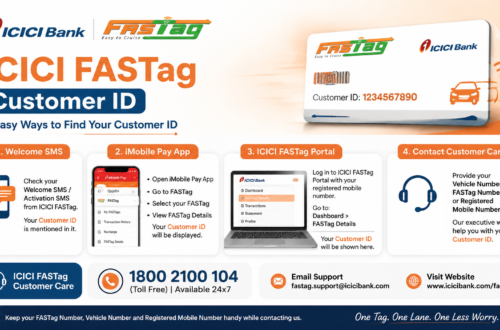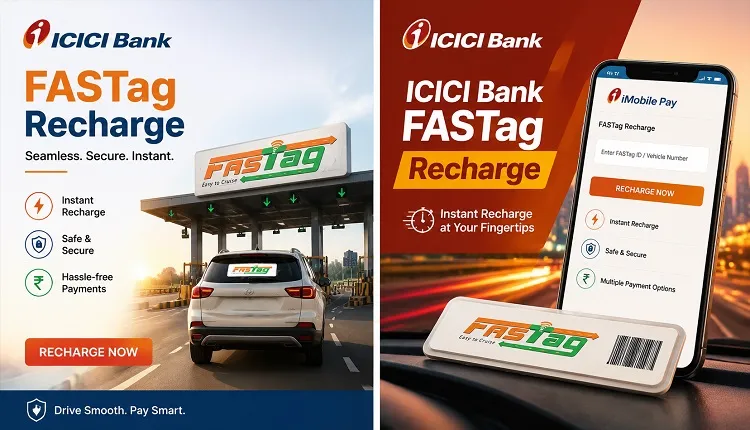
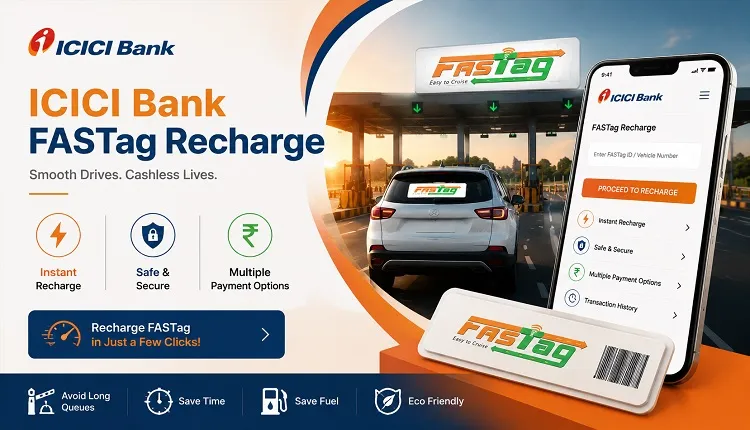
An active FASTag with enough balance makes highway travel faster and more convenient. If your vehicle uses an ICICI Bank FASTag, you can add money to it online through several payment methods.
The ICICI Bank FASTag recharge process can be completed using the iMobile Pay app, ICICI Bank Internet Banking, the official FASTag customer portal, UPI apps, or bank transfer methods. Most users only need their vehicle registration number, registered mobile number, or FASTag Customer ID to complete the payment.
This guide explains every important step in simple words. It also covers balance checking, automatic recharge, recharge limits, failed payments, blacklisted FASTags, and common safety precautions.
What Is an ICICI Bank FASTag?
An ICICI Bank FASTag is a reloadable electronic tag attached to the inside of a vehicle’s windscreen. It uses Radio Frequency Identification, or RFID, technology to communicate with the FASTag reader at a toll plaza.
When the vehicle passes through an enabled toll lane, the applicable toll amount is automatically deducted from the account linked to the FASTag. This removes the need to stop and make a cash payment manually.
The tag must have enough usable balance before the vehicle reaches the toll plaza. If the balance becomes too low or negative, the FASTag may be placed on a low-balance or blacklist status.
If you have not purchased a tag yet, read our guide to applying for an ICICI FASTag.
How to Recharge ICICI Bank FASTag Online
There are several ways to complete an ICICI Bank FASTag recharge. The best method depends on whether you are an ICICI Bank customer and which payment app you normally use.
The main ICICI Bank FASTag recharge methods include:
- ICICI Bank iMobile Pay app
- ICICI Bank Internet Banking
- ICICI Bank FASTag customer portal
- UPI apps such as Google Pay, PhonePe or Paytm
- IMPS, NEFT or RTGS bank transfer
- Automatic recharge through standing instructions
Always check the vehicle number and issuing bank before making the payment. A recharge made to the wrong vehicle or FASTag account may be difficult to reverse.
Method 1: ICICI Bank FASTag Recharge Through iMobile Pay
The iMobile Pay app is one of the easiest recharge options for ICICI Bank customers.
Follow these steps for ICICI Bank FASTag recharge:
- Open the ICICI Bank iMobile Pay app.
- Sign in using your login PIN or registered credentials.
- Find the Bill Payment & FASTag section.
- Select ICICI Bank FASTag.
- Choose your linked vehicle.
- Select the Recharge option.
- Enter the amount you want to add.
- Select the bank account from which the payment will be made.
- Review the vehicle number and recharge amount.
- Confirm the payment.
After a successful ICICI Bank FASTag recharge, you should receive a confirmation in the app or through SMS on your registered mobile number. ICICI Bank also allows eligible users to link a new vehicle from the FASTag section of the iMobile Pay app.
Recharging Another Bank’s FASTag Through iMobile Pay
The iMobile Pay app may also allow users to recharge a FASTag issued by another participating bank.
To do this for ICICI Bank FASTag recharge:
- Open the Bill Payment & FASTag section.
- Select Other FASTag.
- Choose the FASTag issuing bank or biller.
- Enter the vehicle registration number.
- Select Fetch Bill when the option is available.
- Verify the displayed details.
- Enter the recharge amount.
- Confirm the payment.
The exact options may differ slightly depending on the issuing bank.
Method 2: Recharge Through ICICI Bank Internet Banking
ICICI Bank customers can also recharge their FASTag through Internet Banking.
ICICI Bank FASTag recharge – Follow these steps:
- Sign in to ICICI Bank Internet Banking.
- Open Payments & Transfer.
- Select Buy/Recharge FASTag.
- Open the Recharge tab.
- Choose Vehicle Recharge to add money directly to a specific FASTag.
- Enter the vehicle registration number.
- Enter the recharge amount.
- Select the ICICI Bank account to be debited.
- Check all the information.
- Click Pay Now and complete the authentication process.
Customers managing multiple FASTags under a wallet may see a CUG Wallet Recharge option. In that case, the user enters the FASTag Customer ID instead of an individual vehicle number. Money added to a CUG wallet may need to be transferred from the wallet to the individual tag before it becomes available for toll payments.
Method 3: Recharge Through the ICICI Bank FASTag Customer Portal
The official ICICI Bank FASTag customer portal can be used to manage the FASTag account, check transactions, download statements and recharge the tag.
The general process is: ICICI Bank FASTag recharge:
- Visit the official ICICI Bank FASTag customer login portal for ICICI Bank FASTag recharge.
- Select the individual or corporate login option.
- Sign in using your username, password, registered mobile number or OTP, depending on the available login method.
- Open the payment or recharge section.
- Choose whether to pay directly to a tag account or add money to a CUG wallet.
- Select the vehicle or enter the required account details.
- Enter the recharge amount.
- Choose the payment method.
- Verify the information and complete the payment.
When you pay directly to a tag account, the amount is added to the selected vehicle’s FASTag. When you add money to a CUG wallet, you may need to allocate the wallet balance to the required vehicle tag.
Use only the official ICICI Bank website or app. Do not enter your banking password, card details, OTP or UPI PIN on an unknown FASTag login website.
Method 4: ICICI Bank FASTag Recharge Through UPI
You can normally recharge an ICICI Bank FASTag using a supported UPI app, even when your bank account is not with ICICI Bank.
The steps are usually for ICICI Bank FASTag recharge:
- Open a trusted UPI app.
- Go to Bills, Recharge or FASTag Recharge.
- Select FASTag.
- Choose ICICI Bank as the issuing bank.
- Enter the vehicle registration number linked to the FASTag.
- Tap the option to fetch or verify the account.
- Check the vehicle or customer information displayed.
- Enter the recharge amount.
- Select the bank account you want to use.
- Enter your UPI PIN to approve the payment.
ICICI Bank identifies UPI-enabled apps as one of the available online recharge methods. Users should update their payment app and carefully confirm the vehicle number before authorising the transaction.
Your UPI PIN is used only to approve a transaction inside your trusted UPI app. Never share it with a customer care representative, website operator, caller or message sender. NPCI specifically advises users not to disclose their UPI PIN.
Method 5: Recharge Through IMPS, NEFT or RTGS
ICICI Bank also provides bank-transfer options for certain FASTag customer and wallet types.
For eligible accounts, the beneficiary account number may be created using the relevant client code followed by the eight-digit FASTag Customer ID. The official ICICI recharge instructions list client codes such as ETOL, FTIM and ETCCUG for different account or wallet arrangements.
Because this method requires the correct client code, Customer ID, beneficiary account and IFSC, it is better suited to business, fleet, CUG or experienced users. Entering the wrong code may delay or reject the payment.
ICICI Bank states that transfers made through unsupported modes can be declined. Some file-based transfer methods may also take longer to process than an app or UPI recharge.
For a personal vehicle, the iMobile Pay, Internet Banking or UPI method is usually simpler.
How to Set Up ICICI Bank FASTag Auto Recharge
Auto recharge helps prevent the FASTag from running out of balance during a journey.
ICICI Bank FASTag recharge – To activate it through iMobile Pay:
- Sign in to the iMobile Pay app.
- Open Bill Payment & FASTag.
- Select ICICI Bank FASTag.
- Choose the linked vehicle.
- Turn on Auto Recharge.
- Set the balance level that will trigger the recharge.
- Enter the amount that should be added.
- Select your savings account.
- Check the instructions and confirm.
ICICI Bank states that the balance trigger can start from ₹100, while the automatic recharge amount may be set up to ₹10,000 through the app, subject to account eligibility and applicable limits. The bank also provides standing-instruction options through Internet Banking and UPI mandate facilities.
Keep enough money in the linked bank account. An auto-recharge instruction may fail when the bank account has an insufficient balance, is inactive or is affected by a transaction restriction.
ICICI Bank FASTag Recharge Minimum and Maximum Amount
According to ICICI Bank FASTag recharge information, the general recharge range starts from ₹100 and can go up to ₹1,00,000. However, the actual usable limit depends on the customer’s KYC status, wallet type, and current balance.
For a minimum-KYC FASTag account, ICICI Bank states that the value in a month should not exceed ₹10,000. The total amount loaded during a financial year should not exceed ₹1 lakh.
For a full-KYC customer, the FASTag wallet can hold a maximum amount of ₹1 lakh at a given time.
These figures should not be understood as a recommendation to keep ₹1 lakh in a FASTag wallet. Most personal vehicle owners only need a reasonable amount based on their expected toll expenses.
Are There Any ICICI Bank FASTag Recharge Charges?
ICICI Bank FASTag recharge page states that it does not charge a fee simply for recharging a FASTag account. However, charges connected with getting a new FASTag can include a joining fee, vehicle-class-based security deposit and an initial threshold amount.
A third-party payment platform or a particular payment method may display its own fee or convenience charge. Check the final payment screen before approving the transaction.
How to Check ICICI Bank FASTag Balance
You can check your ICICI Bank FASTag recharge balance in several ways:
- Sign in to the ICICI Bank FASTag customer portal.
- Open the FASTag section in iMobile Pay.
- Check your recent FASTag transaction SMS.
- Contact ICICI Bank FASTag customer care.
- Give a missed call to 8010928888 from the mobile number registered with the FASTag.
ICICI Bank lists the missed-call facility as an available balance-check method. It also sends SMS alerts after toll transactions, showing information such as the toll name, transaction amount, and available balance.
Checking the balance before a long trip can help you avoid delays at toll plazas.
What to Do If the Recharge Amount Is Not Credited
Sometimes the money is deducted from the bank account, but the updated FASTag balance does not appear immediately.
Follow these steps:
- Check whether the transaction is marked as successful, pending or failed.
- Review your bank account or UPI payment history.
- Check the FASTag balance again through the official portal or app.
- Check the CUG wallet if your FASTag is connected to one.
- Save the transaction ID, amount, date and payment screenshot.
- Do not make several repeated payments without checking the first transaction.
- Contact ICICI Bank FASTag customer care when the amount remains missing.
ICICI Bank advises customers to check the CUG wallet and contact its FASTag support team when the bank account has been debited but the recharge has not appeared in the FASTag account.
Why Is My ICICI Bank FASTag Blacklisted?
A FASTag can become unusable because of: ICICI Bank FASTag recharge-
- A low or negative balance
- Incorrect vehicle details
- An RC that has not been updated
- KYC-related restrictions
- A damaged, lost or closed tag
- Instructions from an authorised government body
- More than one active FASTag linked to the same vehicle
ICICI Bank states that a tag falling below the required minimum balance may be blacklisted and identifies ₹100 as the minimum required balance in its FAQ. Keeping an extra balance above your expected toll charge is safer than waiting until the wallet reaches the minimum level.
If the FASTag was restricted only because of an insufficient balance, adding enough money may help restore it. If the problem relates to the RC, vehicle number, KYC or account status, contact ICICI Bank and submit the required documents.
A FASTag shown as permanently closed in the applicable records may not be reactivated. In that situation, the customer may need to request a new tag.
Can One Vehicle Have Two FASTags?
A vehicle should have only one active FASTag. The One Vehicle One FASTag framework is intended to prevent multiple active tags from being connected to the same vehicle.
Older or extra tags may be disabled when a newer tag is registered. Before moving to another issuing bank, close the previous FASTag and complete the wallet refund process when applicable.
Do not attach one vehicle’s FASTag to another vehicle. FASTags are issued against specific vehicle and registration details.
ICICI Bank FASTag Customer Care
For ICICI Bank FASTag recharge, balance, account or status problems, the official support numbers listed by ICICI Bank are:
Toll-free: 1800 210 0104
Chargeable: 1860 267 0104
For a problem at a toll plaza, including ICICI FASTag lane operation or toll-related complaints, road users can call the National Highways helpline at 1033.
Keep your vehicle number, registered mobile number and transaction reference available when contacting support. Never tell anyone your Internet Banking password, card PIN, CVV, OTP or UPI PIN.
Safety Tips for FASTag Recharge
FASTag users should follow a few basic safety rules for ICICI Bank FASTag recharge:
- Use the official ICICI Bank website, iMobile Pay app or a trusted UPI app.
- Confirm that ICICI Bank is the issuing bank before making the payment.
- Enter the vehicle number exactly as registered.
- Review the biller information before approving the recharge.
- Never share your OTP, UPI PIN, card PIN or banking password.
- Do not install screen-sharing apps at the request of an unknown caller.
- Do not click recharge links received from unknown SMS, WhatsApp or e-mail accounts.
- Save the payment receipt until the balance is updated.
- Avoid maintaining several active FASTags for the same vehicle.
- Check the ICICI Bank FASTag recharge balance before starting a long highway journey.
A genuine bank representative does not need your UPI PIN or complete banking password to check a recharge complaint.
Frequently Asked Questions
How can I recharge my ICICI Bank FASTag without Internet Banking?
Use a trusted UPI app or the iMobile Pay FASTag recharge service. Select ICICI Bank as the issuer, enter the linked vehicle number, verify the account and complete the payment.
Can a non-ICICI Bank customer recharge an ICICI FASTag?
Yes. A user can generally recharge an ICICI Bank-issued FASTag through UPI, supported bill-payment platforms or the official FASTag portal without holding an ICICI Bank savings account. ICICI Bank also states that a person can obtain its FASTag without having an ICICI Bank savings or corporate account.
What is required for an ICICI Bank FASTag recharge?
Depending on the method, you may need the vehicle registration number, FASTag Customer ID, registered mobile number or FASTag wallet information.
How do I know whether the recharge was successful?
Check the confirmation shown by the payment app, your SMS messages, the official FASTag portal and the updated available balance.
Why is my vehicle number not being accepted?
The number may be entered incorrectly, not updated after the vehicle received its permanent registration, mapped to another FASTag or restricted because of an RC or KYC issue. Verify the details and contact the issuing bank when necessary.
Can I recharge a blacklisted ICICI Bank FASTag?
You can add money to a tag restricted because of a low or negative balance. However, a recharge will not necessarily solve restrictions caused by incorrect documents, an inactive account, a damaged tag or a closed FASTag.
How long is an ICICI Bank FASTag recharge valid?
ICICI Bank states that its FASTag has a validity period of five years. The tag must still remain active, correctly linked and in usable condition during that period.
Final Words – ICICI Bank FASTag recharge
Completing an ICICI Bank FASTag recharge is simple when you use an official and secure payment channel. The iMobile Pay app and ICICI Bank Internet Banking are convenient for bank customers, while UPI apps provide an easy option for users of other banks.
Before confirming any recharge, check the vehicle registration number, FASTag issuing bank, and payment amount. Keep a sufficient balance, consider setting up auto recharge, and save the transaction reference until the money appears in the FASTag account.
Most importantly, use only trusted banking channels. Never share an OTP, UPI PIN, card PIN, or banking password with anyone claiming that they need it to process or fix your ICICI Bank FASTag recharge.
To access your account, check your wallet balance, or review login-related instructions, visit our ICICI FASTag login guide.