Knowing how to check ICICI FASTag balance is important if you drive regularly through toll plazas in India. A low FASTag balance can create unnecessary delays, failed deductions, or a blocked tag status. Many users also get confused because ICICI Bank offers more than one way to view FASTag balance, recharge history, and transaction details.
The simple answer is this: you can check your ICICI FASTag balance through the ICICI Bank FASTag customer portal, iMobile Pay app, Internet Banking, WhatsApp Banking, and linked vehicle details. ICICI Bank’s FASTag page says customers can access the web portal to view balance and transactions anytime, while its FASTag FAQ mentions WhatsApp Banking through the official number 86400 86400.
This guide explains every practical method, what details you need, which option is best for different users, and what to do if your balance is not updated after recharge.
How to Check ICICI FASTag Balance?
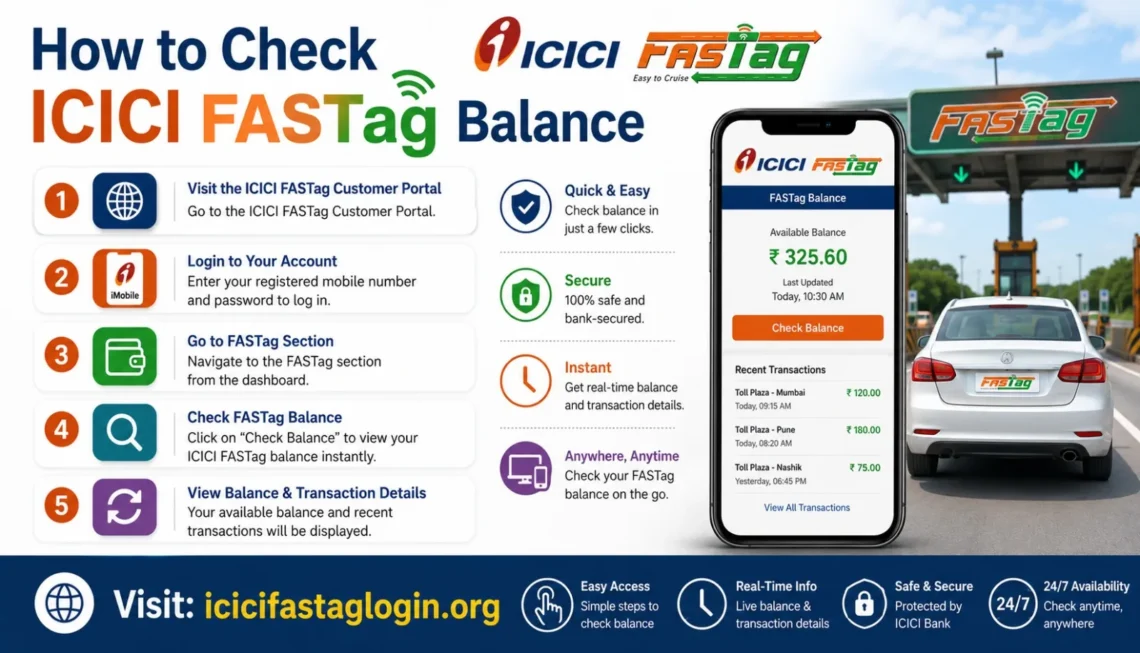
The fastest way to learn how to check ICICI FASTag balance is to use the official ICICI FASTag customer portal or iMobile Pay app. Log in, open the FASTag section, select your vehicle, and view the available balance and recent toll transactions.
A FASTag is an RFID-based tag attached to a vehicle’s windscreen. It allows toll payments to be deducted automatically from the linked prepaid, savings, or current account when the vehicle crosses a toll plaza. NPCI describes NETC FASTag as a contactless toll payment system that helps vehicles pass through toll plazas without stopping for cash payments.
For ICICI Bank users, the balance shown in the official portal or app is usually the most useful because it also helps you check transactions, recharge status, and linked vehicle details.
Best Ways to Check ICICI FASTag Balance
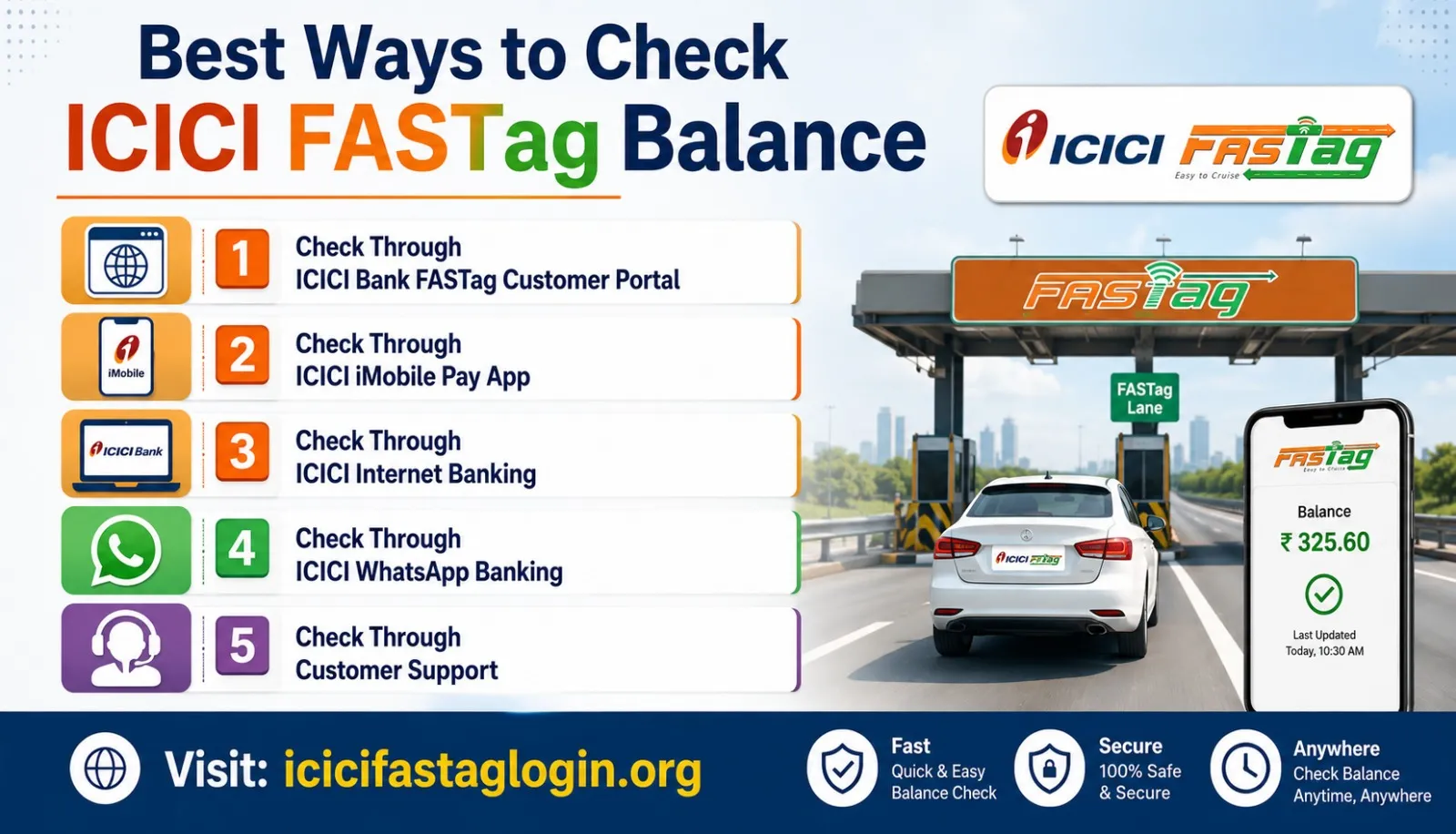
1. Check Through ICICI Bank FASTag Customer Portal
The ICICI Bank FASTag customer portal is one of the most reliable methods for users who want full account details. It is useful when you want to check balance, confirm recharge, review deductions, or manage multiple vehicles.
Steps:
- Visit the ICICI Bank FASTag customer portal.
- Log in with your registered mobile number, user ID, wallet ID, or vehicle-linked credentials.
- Open the FASTag dashboard.
- Select the vehicle or tag account.
- View your available balance and recent transactions.
This is the best method if you manage more than one vehicle because the portal gives a clearer account-level view. When people search how to check icici fastag balance, this method usually matches the intent best because it provides both balance and transaction proof.
2. Check Through ICICI iMobile Pay App
The iMobile Pay app is convenient for users who already use ICICI Bank mobile banking. ICICI Bank’s own balance-check guide says users can log in to iMobile or Net Banking, go to the FASTag section, select the linked vehicle, and view the balance and transaction history.
Steps:
- Open the iMobile Pay app.
- Log in securely.
- Go to Bill Pay, Recharge, or FASTag section.
- Choose your linked vehicle.
- Check the FASTag balance and recent deductions.
This method is practical before starting a trip because it works directly from your phone. If you want how to check ICICI FASTag balance without opening a browser, the app is usually the simplest option.
3. Check Through ICICI Internet Banking
Internet Banking is another good option, especially for users who prefer a desktop or laptop. After login, you can access FASTag services, select the linked tag or vehicle, and see the available balance.
This method is helpful when downloading transaction records or reviewing toll payments for business, reimbursement, or fleet tracking. If your company vehicle uses ICICI FASTag, Internet Banking may be more comfortable than mobile-only checking.
4. Check Through ICICI WhatsApp Banking
ICICI Bank also provides FASTag support through WhatsApp Banking. According to ICICI Bank’s FASTag FAQs, users can save the official WhatsApp number 86400 86400, send “Hi,” and follow the prompts to check FASTag balance, recent transactions, and recharge links.
Steps:
- Save ICICI Bank’s official WhatsApp number: 86400 86400.
- Open WhatsApp and send “Hi.”
- Choose FASTag-related options from the menu.
- Follow the prompts to view balance or recent transactions.
This is useful for users who do not want to log in to the full portal every time. However, always verify that you are interacting with the official ICICI Bank WhatsApp account before sharing or selecting account-related options.
5. Check Through Customer Support
If you cannot log in, your mobile number has changed, or your FASTag details are not visible, customer support can help. ICICI Bank’s FASTag recharge page lists the toll-free number 1800-2100-104 for FASTag queries.
Keep your vehicle registration number, registered mobile number, and FASTag details ready. Customer support is not always the fastest method, but it is useful when your balance appears incorrect or your recharge is pending.
ICICI FASTag Balance Check by Vehicle Number
Many users search for how to check ICICI FASTag balance because they only remember their vehicle number, not their wallet ID or customer ID. ICICI Bank’s guide explains that users can check FASTag balance with vehicle number by logging in to iMobile or Net Banking, opening the FASTag section, selecting the linked vehicle, and viewing the balance and transaction history.
This works best when your vehicle is already linked to your ICICI FASTag account. If the vehicle is not appearing, check whether the FASTag was issued by ICICI Bank or another issuer. FASTag is vehicle-specific, and once attached to one vehicle, it cannot be transferred to another vehicle, according to Digital India’s FASTag information.
Comparison: Which Method Should You Use?
| Method | Best For | Main Benefit | Limitation |
| ICICI FASTag Portal | Detailed account checking | Balance, recharge, transaction view | Requires login |
| iMobile Pay App | Quick mobile access | Easy before travel | Needs app access |
| Internet Banking | Desktop users | Good for records | Requires net banking login |
| WhatsApp Banking | Fast menu-based check | Simple and mobile-friendly | Must use official number |
| Customer Support | Login or balance issues | Human assistance | Human assistance |
If you need the fastest method, use iMobile Pay or WhatsApp. If you need full details, use the FASTag portal. If you manage several vehicles, the portal or Internet Banking is usually better.
What to Do If Your ICICI FASTag Balance Is Low
Once you know how to check ICICI FASTag balance, the next step is knowing when to recharge. A good habit is to check your balance before long highway trips, airport routes, intercity travel, or daily toll-road commutes.
You can recharge through the ICICI FASTag customer portal, ICICI mobile banking, UPI-enabled payment apps, or supported bill payment platforms. ICICI Bank’s recharge page also mentions standing instructions, where users can set automatic top-ups when the FASTag balance drops below a selected threshold.
For example, if you drive frequently between cities, manual recharge may be inconvenient. In that case, auto-recharge or standing instructions can reduce the chance of low balance at toll plazas.
Before Recharging FASTag, read carefully ICICI Bank FASTag Recharge: Easy Online Recharge Methods and Complete Guide
What If Balance Is Not Updated After Recharge?
Sometimes users recharge successfully but the FASTag balance does not appear instantly. In that situation:
- Check whether the payment was deducted from your bank or UPI account.
- Wait for the recharge status to update.
- Review the transaction history in the ICICI FASTag portal.
- Do not recharge repeatedly without checking status.
- Contact ICICI FASTag support if the amount is debited but not credited.
This matters because duplicate recharges can create confusion, especially for fleet owners or users managing family vehicles.
FASTag Status and Balance Are Not the Same
A common mistake is confusing FASTag balance with FASTag status. Balance means the available amount in your tag wallet or linked account. Status means whether your tag is active, inactive, blacklisted, closed, or affected by KYC or issuer-related issues.
NPCI provides a NETC FASTag status check where users can enter vehicle details and see the status of FASTags linked to that vehicle. This does not replace checking your ICICI wallet balance, but it is useful if your toll payment fails even after recharge.
So, if you are learning how to check ICICI FASTag balance, remember to check both balance and status when there is a payment issue.
Common Mistakes to Avoid
Using Unofficial Links
Do not enter your FASTag login details on random websites. Use ICICI Bank’s official portal, app, or verified WhatsApp channel. Third-party apps may help with recharge, but account-sensitive checking should be handled carefully.
Checking Balance Too Late
Many drivers check only at the toll gate. That is risky because low balance may cause delay, penalties, or manual payment problems. Check before starting your journey.
Ignoring Recent Toll Deductions
Your visible balance may change after pending toll transactions are processed. Always review recent transactions if the amount looks lower than expected.
Confusing ICICI FASTag With Another Issuer
If your tag was issued by another bank, ICICI channels may not show the balance. Check the issuer name before trying to log in.
Forgetting Registered Mobile Number
Your registered mobile number is important for OTP, WhatsApp prompts, and support verification. Update it if you no longer use the old number.
How to check icici fastag balance By knowing this, you will stay away from any problem.
Practical Tips for ICICI FASTag Users
Keep a minimum travel buffer instead of recharging exact toll amounts. If your route has multiple toll plazas, estimate the full trip cost and keep extra balance. Save the official ICICI FASTag support number and WhatsApp number before travel. Review monthly FASTag transactions if the vehicle is used by multiple drivers.
If you manage business vehicles, use the portal rather than only WhatsApp because transaction records matter for accounting. For personal users, iMobile Pay is usually enough. For older users who are not comfortable with apps, WhatsApp Banking may be easier.
The best approach to how to check icici fastag balance is not one fixed method. It depends on whether you need speed, records, support, or vehicle-wise tracking.
Featured Snippet: Steps to Check ICICI FASTag Balance
To check ICICI FASTag balance:
- Open the ICICI FASTag customer portal or iMobile Pay app.
- Log in using your registered credentials.
- Go to the FASTag section.
- Select your linked vehicle.
- View the available balance and recent transactions.
- Recharge if the balance is low before travel.
This short process answers how to check icici fastag balance for most ICICI Bank FASTag users.
FAQs
1. Can I check ICICI FASTag balance without logging in?
In most cases, you need some form of verification, such as app login, portal login, WhatsApp prompts, or registered mobile number authentication. This protects your account information.
2. Can I check ICICI FASTag balance by vehicle number?
Yes, if your vehicle is linked to your ICICI FASTag account. Log in to ICICI iMobile, Net Banking, or the FASTag portal, select the vehicle, and view the balance.
3. Which is the fastest way for how to check icici fastag balance?
The fastest methods are usually iMobile Pay and ICICI WhatsApp Banking. The portal is better when you need detailed transaction history.
4. Is WhatsApp safe for ICICI FASTag balance checking?
Yes, if you use ICICI Bank’s official WhatsApp number, 86400 86400, and follow the verified menu prompts. Do not respond to unknown numbers claiming to provide FASTag help.
5. What should I do if my ICICI FASTag balance is showing wrong?
Check recent transactions first. If the recharge is debited but not credited, wait for a status update and contact ICICI FASTag customer support with payment details.
6. Can I use NPCI to check ICICI FASTag balance?
NPCI can help check FASTag status linked to a vehicle, but balance checking should be done through ICICI Bank’s FASTag portal, app, or official support channels.
7. Can I recharge immediately after checking balance?
Yes. After checking balance, you can recharge through ICICI FASTag portal, iMobile Pay, UPI, Internet Banking, or supported payment platforms.
8. Why should I learn how to check ICICI FASTag balance before travel?
It helps prevent toll payment failure, low-balance issues, delays at toll plazas, and last-minute recharge stress during highway travel.
Conclusion
Learning how to check ICICI FASTag balance is simple, but choosing the right method saves time. For quick access, use iMobile Pay or WhatsApp Banking. For detailed balance, recharge, and transaction history, use the ICICI FASTag customer portal or Internet Banking. If a payment fails despite sufficient balance, check FASTag status through official channels and contact support if needed.
The main takeaway is clear: check your balance before you start driving, keep enough funds for the full route, and use only trusted ICICI Bank or official FASTag channels. A two-minute balance check can prevent a long delay at the toll plaza.
Also, keep an eye on ICICI FASTag Login for any FASTag problems.