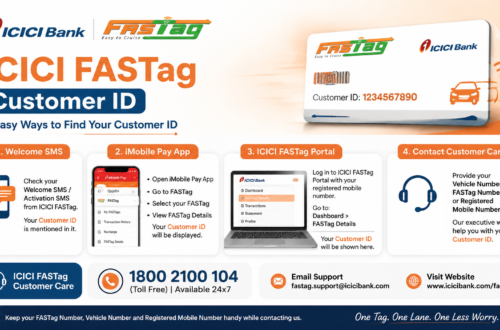
Nothing slows down a highway trip like a beeping toll scanner and a queue of cars behind you. Most of the time, it comes down to one thing: nobody checked the FASTag balance before leaving home. An ICICI FASTag balance check takes less than a minute, and doing it before a long drive can save you from an awkward stop at the toll booth.
This guide covers every official way to check your ICICI FASTag balance, what to do if the balance looks wrong, and how to recharge quickly if you’re running low.
What Does “ICICI FASTag Balance Check” Actually Mean?
Your ICICI FASTag is linked to a prepaid wallet or account. Every time your vehicle passes a toll plaza, the system reads the tag and deducts the toll fee automatically. A balance check simply shows how much money is left in that linked wallet, so you know whether you can make it through a toll plaza without an issue.
If you’re new to FASTag or just applied for one, it helps to first understand how ICICI FASTag works before you start checking balances and recharging.
Why You Should Check It Regularly
A lot of drivers only think about their FASTag balance after it fails at a toll booth. By then, you’re already holding up traffic. A quick habit of checking your balance before any highway trip, or once a week if you drive often, avoids most of these problems.
Here’s what a regular check helps you catch early:
- A balance that’s dropped faster than expected (sometimes a sign of duplicate deductions)
- A recharge that didn’t reflect in your wallet
- A tag that’s inactive or blacklisted, which won’t show a normal balance at all
Ways to Check ICICI FASTag Balance Online
ICICI Bank gives you a few official routes to check your balance. Use whichever one you already have set up.
1. Through ICICI Bank Net Banking
If you use ICICI Bank Net Banking, log in with your customer ID and password, then look for the FASTag section under your linked services. Your current balance and recent toll deductions should show up there.
2. Through the iMobile Pay App
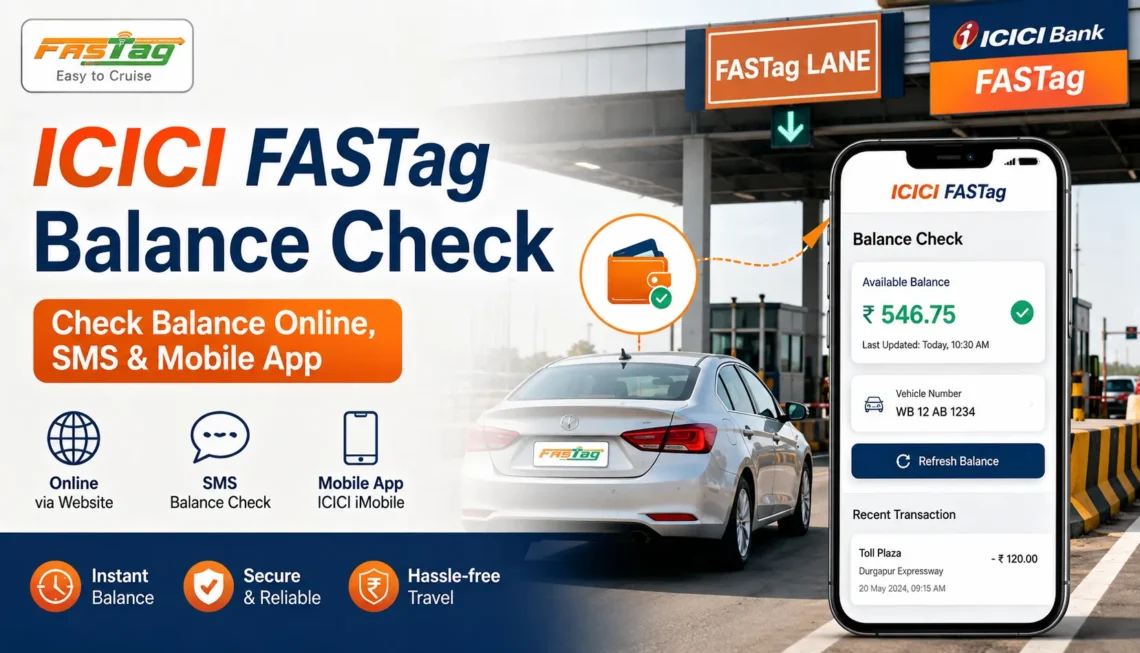
The iMobile app is probably the fastest option if it’s already on your phone. Open the app, sign in, and go to the FASTag tab. Your balance is usually visible on the first screen after you select your vehicle.
3. Through the ICICI FASTag Login Portal
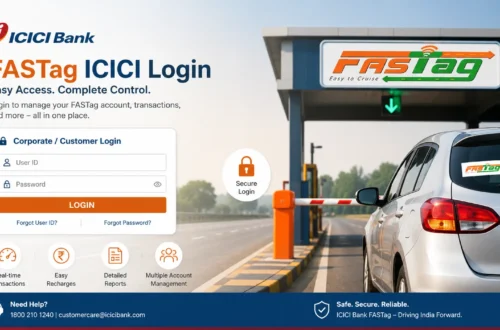
You can also check your balance by logging into your account directly through the ICICI Bank FASTag login page. Once you’re in, select your registered vehicle and the balance will be displayed along with your transaction history.
4. Through SMS Alerts
ICICI Bank sends SMS alerts for most toll deductions and recharges if your mobile number is registered. Checking your recent messages is a quick way to estimate your balance even without opening the app.
Step-by-Step: Checking Your Balance After Login
- Go to the official ICICI Bank FASTag platform or the iMobile app.
- Enter your registered mobile number, customer ID, or vehicle number.
- Complete the OTP or password verification.
- Open the FASTag dashboard.
- Select the vehicle you want to check.
- View the available balance and recent transactions.
If you have more than one vehicle registered under your account, make sure you’re viewing the right one. It’s an easy mistake to check the wrong tag and assume there’s a problem when there isn’t.
What If the Balance Looks Wrong?
Sometimes the balance shown doesn’t match what you expect. A few common reasons:
- A recharge was made but hasn’t reflected yet (this can take a few minutes to a few hours)
- A toll deduction happened that you didn’t notice
- There’s a delay between the toll plaza and the bank’s system updating your wallet
If the balance still looks off after waiting a while, check your transaction history for the exact entries before contacting support. Having the transaction ID and date ready makes the process faster.
Low Balance? Here’s How to Recharge
If your check shows a low or zero balance, don’t wait until you’re at the toll plaza to fix it. You can recharge through the same net banking or app you used to check the balance. For a full walkthrough, see this guide on ICICI FASTag recharge online, which covers payment options and what to do if a recharge doesn’t reflect right away.
Common Problems People Run Into
- Balance not visible after login: Try logging out and back in, or switch between the app and net banking to confirm.
- OTP not received: Check that your registered mobile number is still active and has network signal.
- Balance shows zero despite a recent recharge: Wait 30 minutes to an hour; if it still hasn’t updated, note the transaction reference and contact ICICI Bank support.
- Tag shows as inactive: This isn’t the same as a low balance issue. An inactive or blacklisted tag needs a separate fix, usually tied to KYC or account status.
For anything you can’t resolve on your own, ICICI Bank’s FASTag customer care team can look into account-specific issues like blacklisting, KYC pending, or unexplained deductions.
A Few Safety Reminders
Balance checks and recharges involve your bank account, so it’s worth being careful:
- Only use the official ICICI Bank website or app for login and payment.
- Never enter your OTP on a third-party site or share it over a phone call.
- Bookmark the official ICICI Bank FASTag page instead of searching for it every time.
- Ignore any “FASTag annual pass” offers that arrive through random SMS or WhatsApp messages.
Frequently Asked Questions
Can I check my ICICI FASTag balance without logging in?
Not directly. Official balance checks require logging into net banking, the iMobile app, or the FASTag portal. SMS alerts can give you a rough idea, but they’re not a substitute for checking the actual balance.
How often does the balance update after a toll deduction?
Usually within a few minutes, though it can occasionally take longer depending on network and bank processing.
Why does my balance show differently in the app and on net banking?
This is usually a syncing delay rather than an actual discrepancy. If the difference persists for more than a day, contact support with your transaction details.
Is there a minimum balance required for ICICI FASTag?
Toll deductions need enough balance to cover the toll amount at that moment. Keeping a buffer above the average toll fee on your usual route helps avoid failed deductions.
What should I do if my FASTag balance check shows the tag is blacklisted?
A blacklisted tag won’t process payments normally, even if there’s money in the wallet. You’ll need to resolve the underlying issue, often a KYC gap or unpaid deduction, through official ICICI Bank channels.
Final Word
Checking your ICICI FASTag balance is a small habit that saves real time on the road. Whether you use net banking, the iMobile app, or the official FASTag login page, the process takes a minute and tells you exactly where you stand before you need it most. Make it part of your pre-trip routine, especially before longer highway drives, and keep a small buffer in your wallet so a low balance never catches you at the toll booth.