If you drive on Indian highways often, you already know the drill: slow down at the toll booth, hope the queue moves fast, and hand over cash or wait for change. ICICI Bank FASTag gets rid of that entire routine. Once it’s stuck on your windscreen and linked to a working balance, tolls get deducted automatically as you pass through, no stopping required.
This guide walks through what ICICI Bank FASTag actually is, how to get one, how to log in and manage it, and what to do when something goes wrong (because at some point, something usually does).
What Is ICICI Bank FASTag?
ICICI Bank FASTag is a prepaid tag issued by ICICI Bank that lets vehicle owners pay toll charges electronically instead of in cash. The tag uses RFID (Radio Frequency Identification) technology, and it’s fixed on the vehicle’s windscreen. When you drive through a toll plaza, a scanner reads the tag and deducts the toll amount straight from your linked FASTag wallet or bank account.
It’s part of the National Electronic Toll Collection (NETC) programme run by NHAI, so it works across toll plazas nationwide, not just on select highways.
For most drivers, the appeal is simple: no cash, no waiting, no arguing over change at 11pm on a highway you’ve never driven before.
How ICICI Bank FASTag Works
The mechanics are straightforward once you understand the basic flow:
- You get a FASTag issued and linked to a vehicle number.
- You load money into the FASTag wallet, either as a standalone prepaid balance or linked to your ICICI Bank savings account.
- The tag sits on your windscreen at all times.
- At a toll plaza, an RFID scanner reads the tag and deducts the applicable toll fee automatically.
- You get an SMS notification for the deduction, and the transaction shows up in your FASTag history.
No manual step is required at the toll booth itself. That’s really the whole point of the system.
How to Apply for ICICI Bank FASTag
You can apply for an ICICI Bank FASTag through the official ICICI Bank website, the iMobile app, or at authorised point-of-sale locations, including toll plazas and ICICI Bank branches. You’ll typically need your vehicle’s registration certificate (RC), a passport-size photo, and a KYC document such as a PAN card or Aadhaar.
Once your application is approved and the tag is issued, it gets linked to your vehicle number. That link matters, since a FASTag registered to one vehicle generally won’t work correctly on another.
For a full walkthrough on getting a new tag, see our guide on how to apply for ICICI FASTag.
ICICI Bank FASTag Login: Accessing Your Account
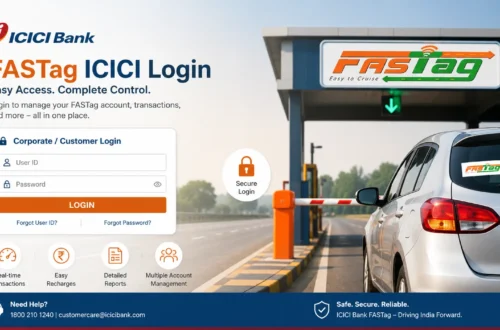
Once your FASTag is active, you’ll want to log in periodically to check your balance, review transactions, or update details. To log in to your ICICI Bank FASTag account:
- Go to the official ICICI Bank FASTag portal or open the ICICI Bank digital banking platform.
- Choose the FASTag login or customer login option.
- Enter your registered mobile number, customer ID, or vehicle number as prompted.
- Complete OTP or password verification.
- You’ll land on your FASTag dashboard from there.
A lot of users specifically search for logging in using just their mobile number, since customer IDs are easy to forget. If your mobile number is registered against your FASTag account, mobile-based OTP login is usually available. We’ve covered that process in more detail in our ICICI FASTag login with mobile number guide.
Login steps can shift slightly over time as ICICI Bank updates its platform, so always follow whatever’s shown on the official site rather than relying on an old screenshot or a third-party walkthrough.
How to Check ICICI Bank FASTag Balance
Running out of balance mid-journey is one of the most common (and most avoidable) FASTag headaches. To check your balance:
- Log in to your official ICICI Bank FASTag account or the iMobile app.
- Go to the FASTag section.
- Select the vehicle or tag you want to check.
- View your current balance and recent transactions.
It’s worth building a habit of checking this before any long highway drive rather than assuming it’s fine. A detailed breakdown is available in our how to check ICICI FASTag balance article.
How to Recharge ICICI Bank FASTag
When your balance runs low, recharging is quick if you’re using official channels:
- Open the ICICI Bank FASTag recharge page or app.
- Enter your FASTag or vehicle details.
- Choose the recharge amount.
- Pick a payment method (UPI, debit/credit card, net banking).
- Complete the payment and confirm the balance has updated.
Occasionally, a recharge goes through on the payment side but takes a few minutes to reflect in the FASTag wallet. If that happens, wait a bit before assuming something’s wrong. For the complete process, check our ICICI Bank FASTag recharge guide.
ICICI Bank FASTag App
ICICI Bank also offers app-based access for FASTag management through its digital banking app, which covers login, balance checks, recharges, and transaction history from your phone. This is generally the fastest way to manage your tag day to day, especially if you’re already an ICICI Bank customer. We’ve put together a full walkthrough in our ICICI FASTag app guide, covering download, login, and recharge steps.
ICICI Bank FASTag Not Working: Common Reasons
FASTag failures at the toll booth are frustrating, but they usually trace back to a handful of causes:
- Low or zero balance in the FASTag wallet
- The tag has been blacklisted
- Physical damage to the tag
- Improper placement on the windscreen
- Vehicle details not updated correctly
- Pending KYC
- Scanner or technical issues at the toll plaza itself
- An inactive or closed account
If your tag stops working, don’t peel it off or try to fix it yourself. Check your balance and account status through official channels first, since that resolves most cases.
ICICI Bank FASTag Blacklisted: What It Means
A blacklisted FASTag is one that toll systems won’t accept for a normal deduction, usually because of a low balance, incomplete KYC, misuse, or an account issue. To fix it:
- Check your current balance.
- Recharge if it’s low.
- Confirm your KYC is complete.
- Make sure the tag is properly fixed to the windscreen, not loose or damaged.
- If none of that resolves it, reach out to official ICICI Bank support.
Avoid any third-party website or agent offering to “fix” a blacklisted tag for a fee. That’s not how this works, and it’s a common scam angle.
How to Close ICICI Bank FASTag
Selling your vehicle, switching to a different FASTag provider, or simply not needing the tag anymore are all valid reasons to close an ICICI Bank FASTag account. The process generally involves clearing any pending dues, submitting a closure request through official channels, and confirming any remaining balance is refunded. We’ve laid out the exact steps in our how to close ICICI FASTag guide.
ICICI Bank FASTag Customer Care
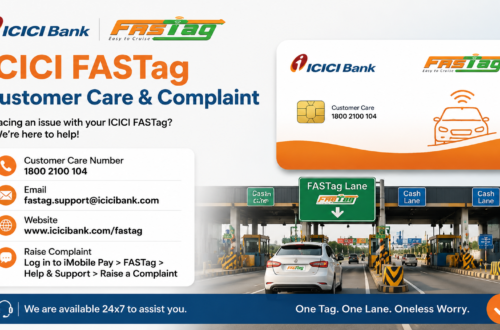
When login, recharge, KYC, or blacklist issues don’t resolve on their own, ICICI Bank’s customer care is the right next step. Before calling, have this ready:
- Registered mobile number
- Vehicle number
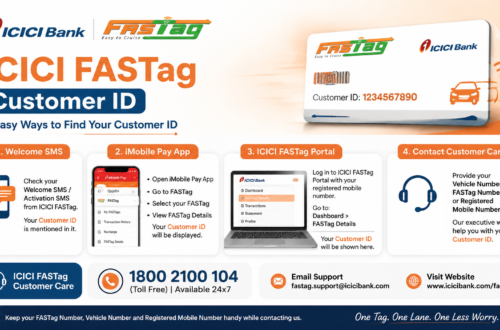
- FASTag customer ID or wallet ID
- Transaction ID (for recharge disputes)
- Date, time, and location of the disputed toll deduction
Never call a number you found on a random forum or WhatsApp forward. Always verify contact details through the official ICICI Bank website. Our ICICI FASTag customer care and customer care number pages list every official way to get in touch.
Safety Tips for ICICI Bank FASTag Users
FASTag is tied directly to payments, so a bit of caution goes a long way:
- Stick to the official ICICI Bank website or app for anything account-related.
- Never enter an OTP on a site you’re not 100% sure about.
- Don’t share your password, OTP, or card PIN with anyone, including callers claiming to be bank staff.
- Be wary of “FASTag annual pass” offers that show up in SMS or WhatsApp messages from unknown numbers.
- Double-check the website URL before logging in anywhere.
- Use a secure connection when making payments, not public Wi-Fi.
Frequently Asked Questions
What is ICICI Bank FASTag?
It’s a prepaid RFID tag issued by ICICI Bank that automatically deducts toll charges from a linked wallet or account as your vehicle passes through a toll plaza.
How do I apply for ICICI Bank FASTag?
You can apply through the official ICICI Bank website, the iMobile app, or authorised point-of-sale outlets, using your vehicle RC and a KYC document.
Can I check my ICICI Bank FASTag balance online?
Yes, through the ICICI Bank FASTag portal, the iMobile app, or net banking, depending on which option you’ve set up.
Why is my ICICI Bank FASTag not working at the toll plaza?
Usually a low balance, a blacklist status, a damaged or misplaced tag, or a pending KYC issue. Checking your account status first will tell you which one applies.
Is icicifastaglogin.org an official ICICI Bank website?
No. This is an independent informational guide. For login, recharge, KYC, or any account action, always use the official ICICI Bank website or app.
Final Thoughts
ICICI Bank FASTag makes toll payments faster and mostly hassle-free once it’s set up correctly, but it does need a bit of upkeep: keeping the balance topped up, KYC complete, and the tag properly fixed to your windscreen. Most of the problems drivers run into, a dead balance, a blacklisted tag, a failed recharge, come down to one of those three things.
For anything involving your actual account, balance, or payments, go directly through ICICI Bank’s official channels. This guide is here to help you understand the process, not to replace it.