If you’ve searched “icici bank fastag login” because you’re stuck at your dashboard or can’t remember which number you registered with, you’re not alone. It’s one of the most common FASTag complaints — the tag works fine at the toll booth, but the login page won’t cooperate. This guide walks through the actual login process, what to do when it fails, and where to go for each task once you’re in.
Before anything else: always log in through the official ICICI Bank website or the ICICI Bank iMobile app. This site is an independent guide, not the bank itself, and it won’t ask for your OTP, password, or card details.
What Is ICICI Bank FASTag?
ICICI Bank FASTag is a prepaid tag stuck to your vehicle’s windscreen that lets you pay tolls electronically instead of stopping to hand over cash. A scanner at the plaza reads the tag as you drive through and deducts the toll from your linked wallet or account automatically. No fumbling for change, no long queues at the booth.
If you haven’t got one yet, there’s a full walkthrough on how to apply for ICICI FASTag that covers eligibility and the documents you’ll need.
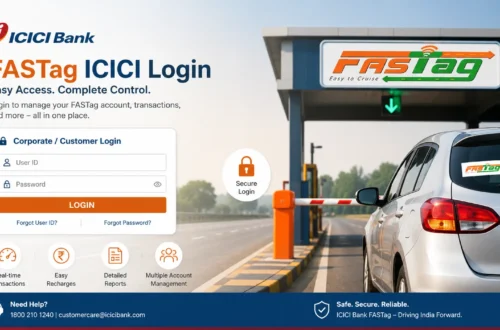
How to Log In to ICICI Bank FASTag
The login flow is fairly simple once you know which details the portal is asking for. Here’s the general process:
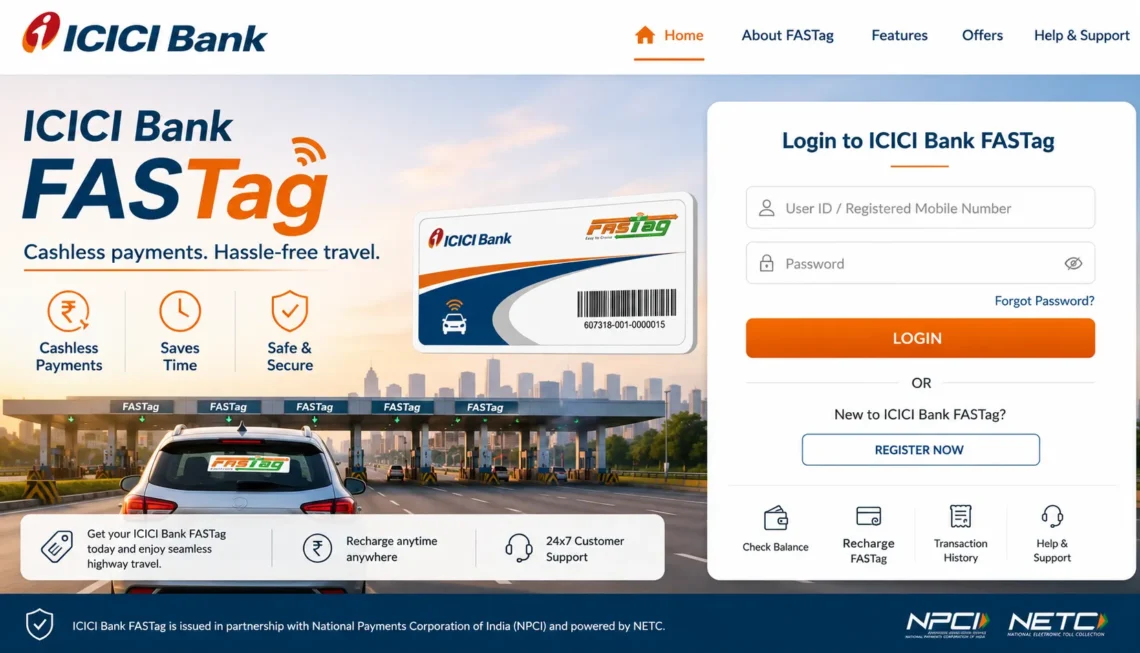
- Go to the official ICICI Bank FASTag page or open the ICICI Bank digital banking platform.
- Select the FASTag login or customer login option.
- Enter your registered mobile number, customer ID, or vehicle number, depending on what the screen asks for.
- Complete OTP verification or enter your password if prompted.
- You should land on your FASTag dashboard, where balance, recent transactions, and account details are visible.
One thing worth flagging: ICICI Bank does update its login screens and verification steps from time to time, so if a step looks slightly different from what’s described here, follow whatever the current screen shows rather than this guide.
ICICI Bank FASTag Login With Mobile Number
A lot of people skip straight to mobile-number login because they’ve forgotten their customer ID entirely — which, honestly, is the detail most users lose track of first. If your number is registered against your FASTag account, you can usually verify through OTP instead of digging up an ID.
A few things to check if this route isn’t working:
- You’re entering the exact mobile number that was registered at the time of FASTag issuance.
- The number is still active and can receive SMS.
- You’re not requesting OTPs back-to-back, which can trigger a temporary lock.
- There’s no network issue delaying the SMS on your end.
There’s a more detailed breakdown in the ICICI FASTag login with mobile number guide if the basic steps above don’t resolve it.
Logging In Through the ICICI Bank FASTag App
If the web login keeps giving you trouble, the app is usually the smoother option. It handles OTP verification a bit differently and tends to remember your session longer than the browser version does. The ICICI FASTag app guide covers download links, first-time setup, and login from the app itself.
What You Can Do Once You’re Logged In
Once the dashboard loads, here’s what’s typically available:
| FASTag Service | What It Lets You Do | Why It Matters |
| Check Balance | See your current FASTag wallet balance | Avoid getting stuck at a toll with insufficient funds |
| Recharge | Top up your wallet through supported payment methods | Keeps your tag active for your next trip |
| Transaction History | Review past toll deductions and recharges | Spot duplicate or incorrect charges |
| Download Statement | Get a statement for a chosen date range | Useful for reimbursement or expense tracking |
| Vehicle Details | View or update linked vehicle information | Keeps records accurate for toll processing |
| FASTag Status | Check if your tag is active, inactive, or blacklisted | Explains why a tag might be rejected at the plaza |
| Service Requests | Raise a request for login, payment, or account issues | Gets you official support instead of guessing |
Checking Your Balance After Login
Once you’re in, checking the balance is usually a matter of selecting your linked vehicle or FASTag account from the dashboard and viewing the available amount alongside recent transactions. It’s worth doing this before any long drive — a full step-by-step is available in the how to check ICICI FASTag balance guide.
Recharging Your FASTag Wallet
If the balance is running low, recharging takes just a few steps: open the recharge section, pick your vehicle or wallet, enter the amount, choose a payment method, and confirm. If money gets deducted but the balance doesn’t update right away, give it a little time before assuming something’s wrong — it usually reflects within a short window. The ICICI Bank FASTag recharge guide goes into more detail on payment options and what to do if a recharge fails.
Common ICICI Bank FASTag Login Problems (and Fixes)
Login trouble tends to fall into a handful of categories:
Wrong or outdated mobile number: If your number changed since you got the FASTag, OTP-based login won’t work until it’s updated through official channels.
Too many failed attempts: Repeated wrong OTP entries or password attempts can temporarily lock the account. Waiting it out is usually faster than retrying immediately.
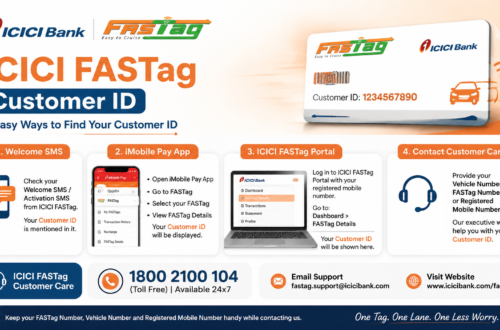
Forgotten customer ID: Check old SMS messages or the welcome email from ICICI Bank — the customer ID is often buried there. Mobile-number login is a workaround if you genuinely can’t find it.
Session or app glitches: Clearing the app cache, updating to the latest version, or switching between app and browser sometimes resolves logins that hang or throw errors for no clear reason.
Server-side downtime: Occasionally the issue isn’t on your end at all — the platform itself may be under maintenance. Trying again after a short wait or checking a different login channel (app vs. website) can confirm this.
If none of these fix it, the fastest path forward is contacting ICICI Bank directly rather than repeatedly retrying. The ICICI FASTag customer care page and the customer care number guide list the official contact routes.
Closing or Deactivating Your FASTag Account
Selling the vehicle, switching providers, or just done with the tag altogether? There’s a proper process for that too, and it’s worth doing correctly so you’re not billed after the fact. See how to close ICICI FASTag for the full steps.
Staying Safe While Logging In
FASTag accounts are tied to your money, so it’s worth being a little paranoid here:
- Only use the official ICICI Bank website or app — bookmark it so you’re not one typo away from a lookalike site.
- Never enter an OTP on a page you reached through a random link or SMS.
- ICICI Bank won’t call and ask for your OTP, PIN, or full card number. Anyone who does is not the bank.
- Ignore “FASTag annual pass” offers that arrive through WhatsApp or unsolicited calls.
- Double-check the URL before typing in any login details, especially on mobile where fake domains are easier to miss.
Frequently Asked Questions
What is ICICI Bank FASTag login?
It’s the process of accessing your FASTag account through ICICI Bank’s official channels to check your balance, recharge, view transactions, or manage linked vehicle details.
Can I log in to ICICI Bank FASTag using just my mobile number?
Yes, if your mobile number is registered with the account, OTP-based login is usually available as an alternative to entering a customer ID.
Why does my ICICI Bank FASTag login keep failing?
Usually it’s an outdated mobile number, too many failed OTP attempts, a forgotten customer ID, or a temporary glitch on the app or website. Less often, it’s downtime on the bank’s end.
What should I do if I forgot my FASTag customer ID?
Check old SMS or email communication from ICICI Bank first. If that doesn’t turn it up, mobile-number login or contacting customer care are the next steps.
Is this website the official ICICI Bank FASTag portal?
No. This is an independent guide. For any login, payment, or account action, use the official ICICI Bank website or iMobile app directly.
Final Thoughts
Most ICICI Bank FASTag login issues come down to a handful of predictable causes — an old number, a locked-out account, or a forgotten ID — and most of them are fixable in a few minutes once you know where to look. If you’re still stuck after trying the steps above, official customer care is a better use of your time than repeated login attempts.
Stick to ICICI Bank’s own website and app for anything involving your account, and treat any unsolicited call or message asking for your OTP as a red flag, not a shortcut.